


Daily site reports with photos
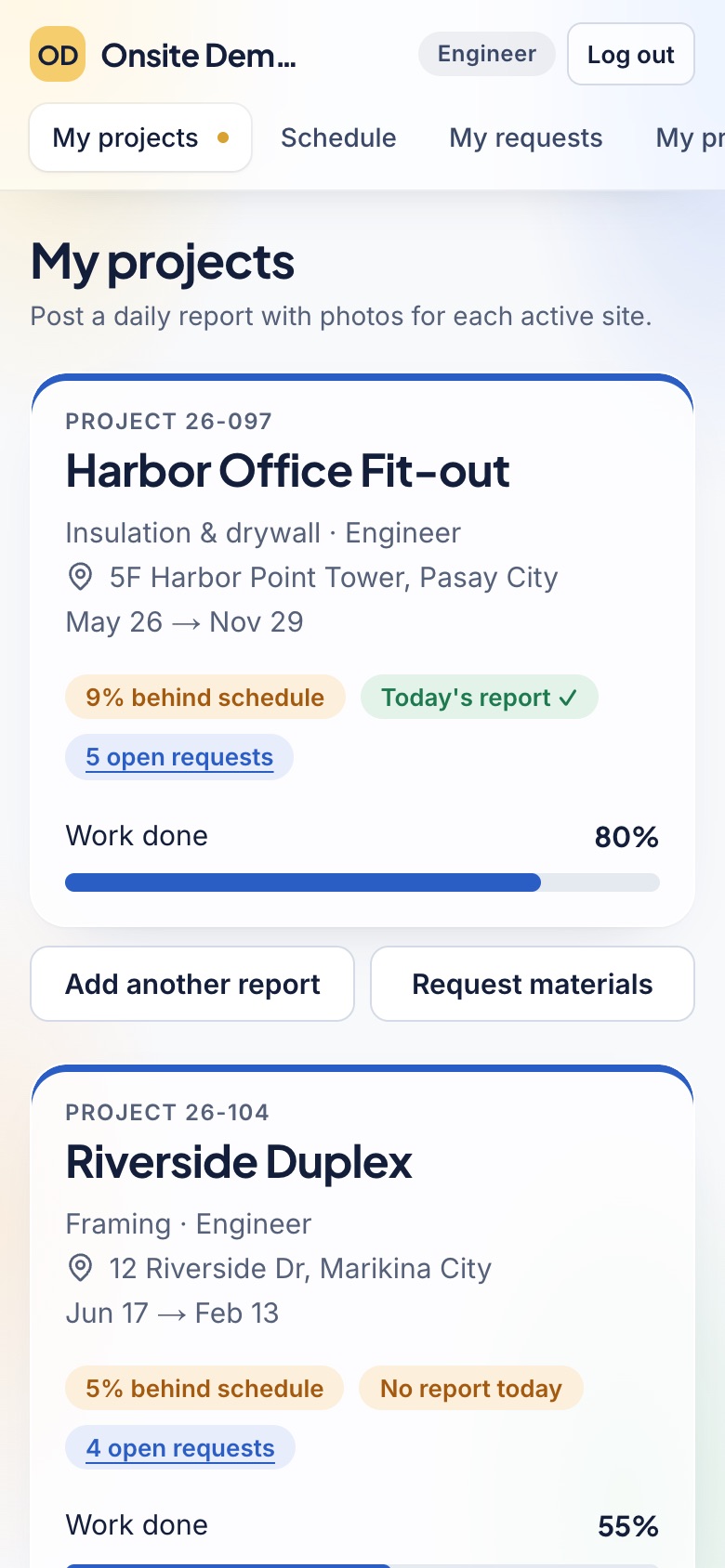
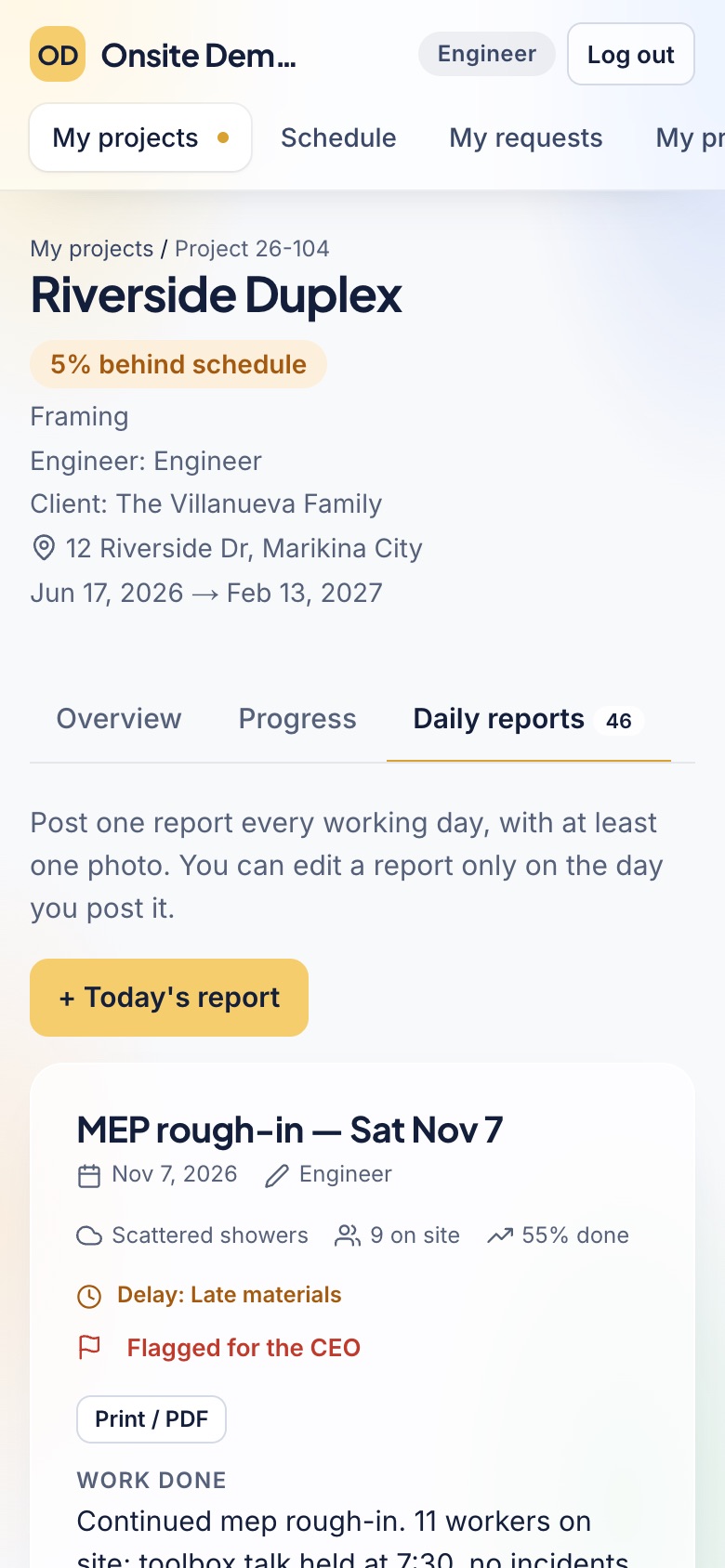
Engineers post one report a day from their phones: work done, workers, weather, issues and photos. You see every site the same day.
Construction project tracking software for the Philippines
Daily site reports with photos, material requests, payroll and project costs in one place. Owners see real progress and spending every day, and engineers spend less time on paperwork.
Every role included. No card needed. Works on any phone.
What Onsite does
From the morning report to the supplier's receipt, each step is recorded once and seen by the people who need it.
Engineers post one report a day from their phones: work done, workers, weather, issues and photos. You see every site the same day.
Request, canvass, approve by amount, order with a purchase order, and confirm the delivery on site. Receipts are kept at every step.
Orders and payroll land in each project's budget by category, with a warning when a project passes 80% and 100%.
Payroll requests per project, and petty cash with a running balance for each person who holds it.
Every project on one timeline with today marked. Change orders carry their cost and extra days, and wait for the CEO.
Progress billings against the contract amount, the money received, and what each client still owes.
A full-screen board of every project's progress and the newest site photos, for the office wall. It never shows money.
Drafts requests, reports, payroll and new projects from notes, photos and papers. A person checks and saves; it never approves or pays.
Works in the browser on any phone. With no signal, reports and requests wait on the phone and send themselves later.
How it works
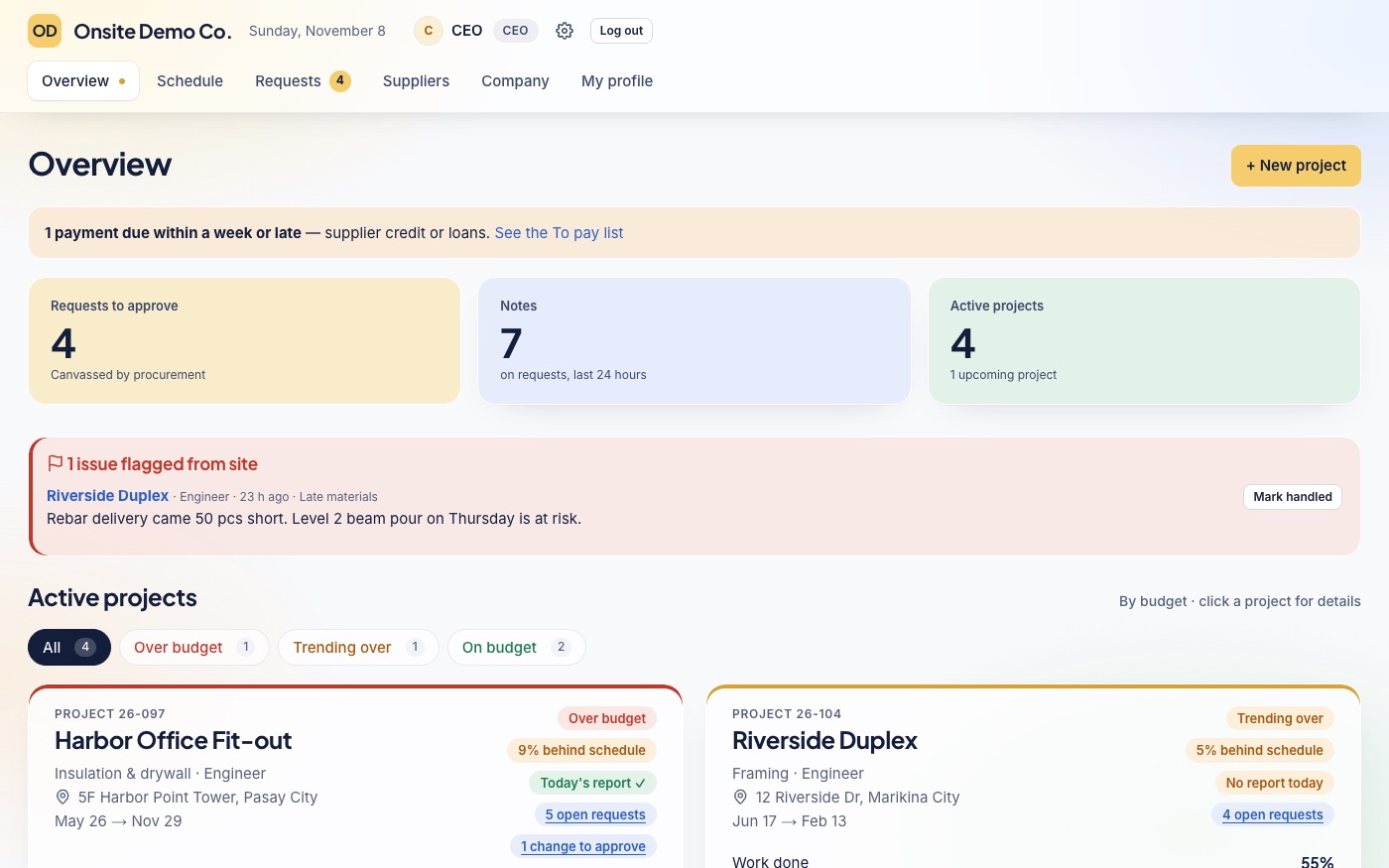
These are real screens from Onsite Demo Co., a sample contractor with four active sites. Pick a role.
CEO
Open Onsite and see each project's progress, spending and today's report on one page.
Engineer
The engineer posts the day's work, workers, weather, issues and photos from a phone.
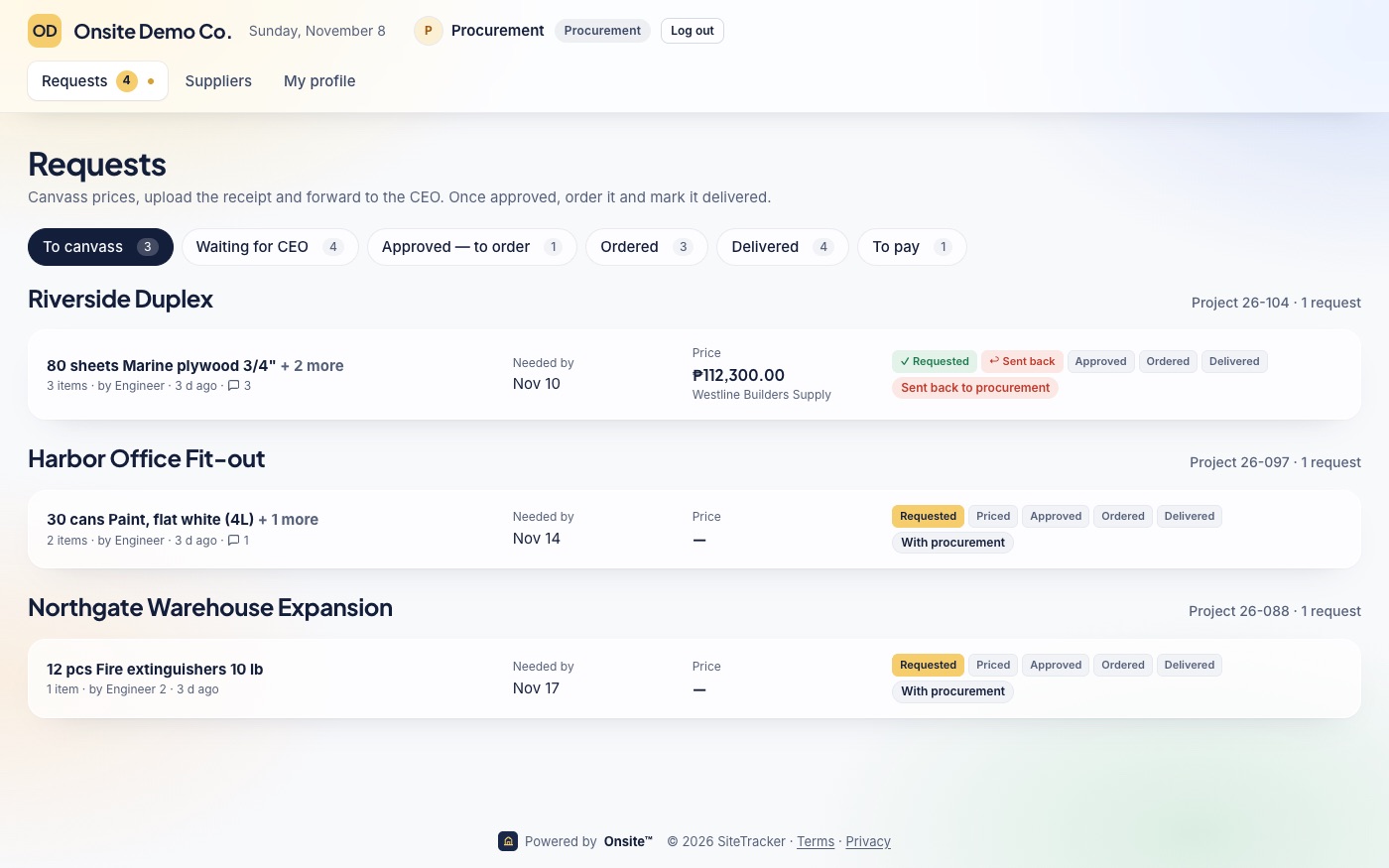
Procurement
Procurement sees every request by step and knows exactly what to do next.
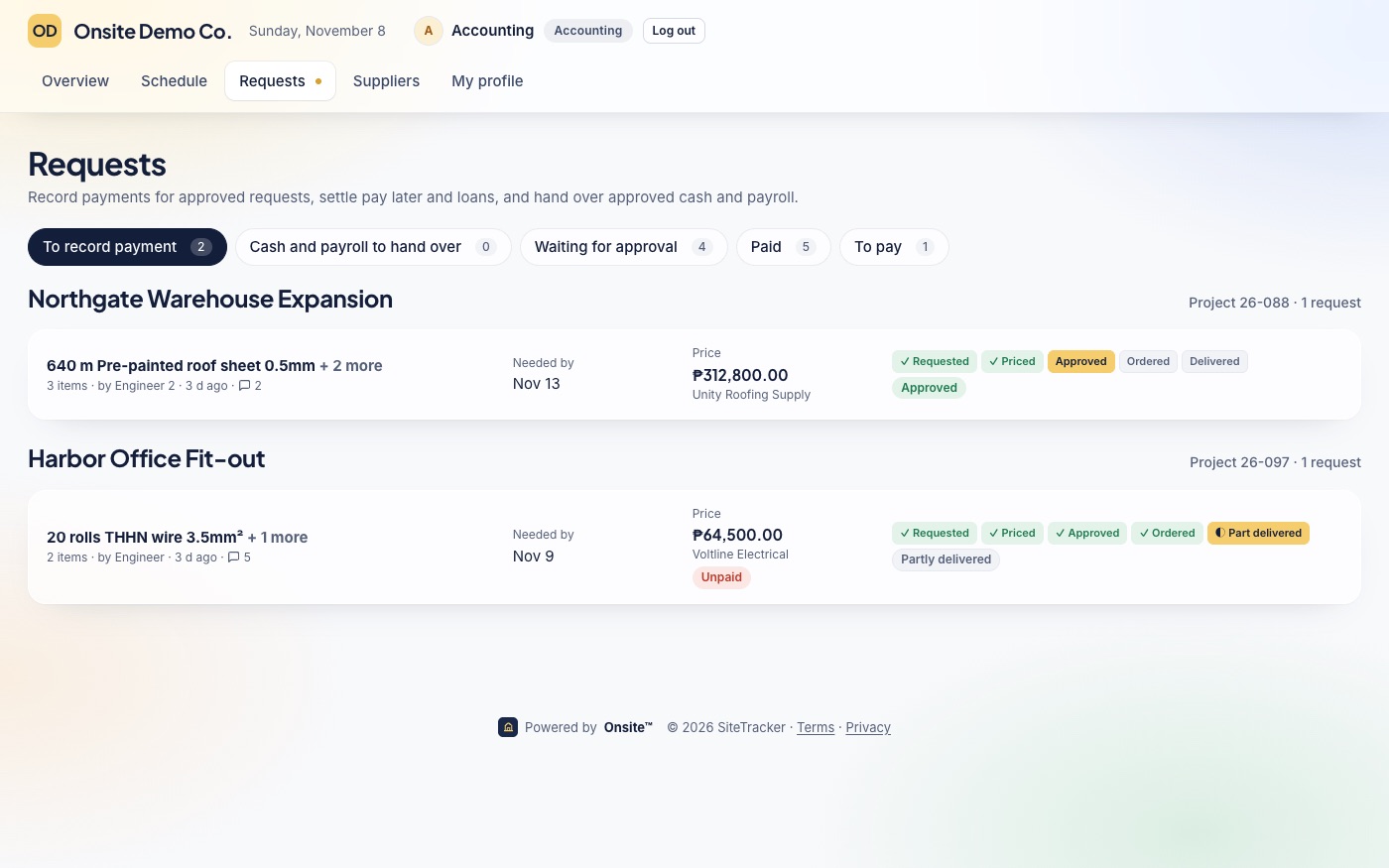
Accounting
Accounting records payments, hands over cash and payroll, and keeps the to-pay list.
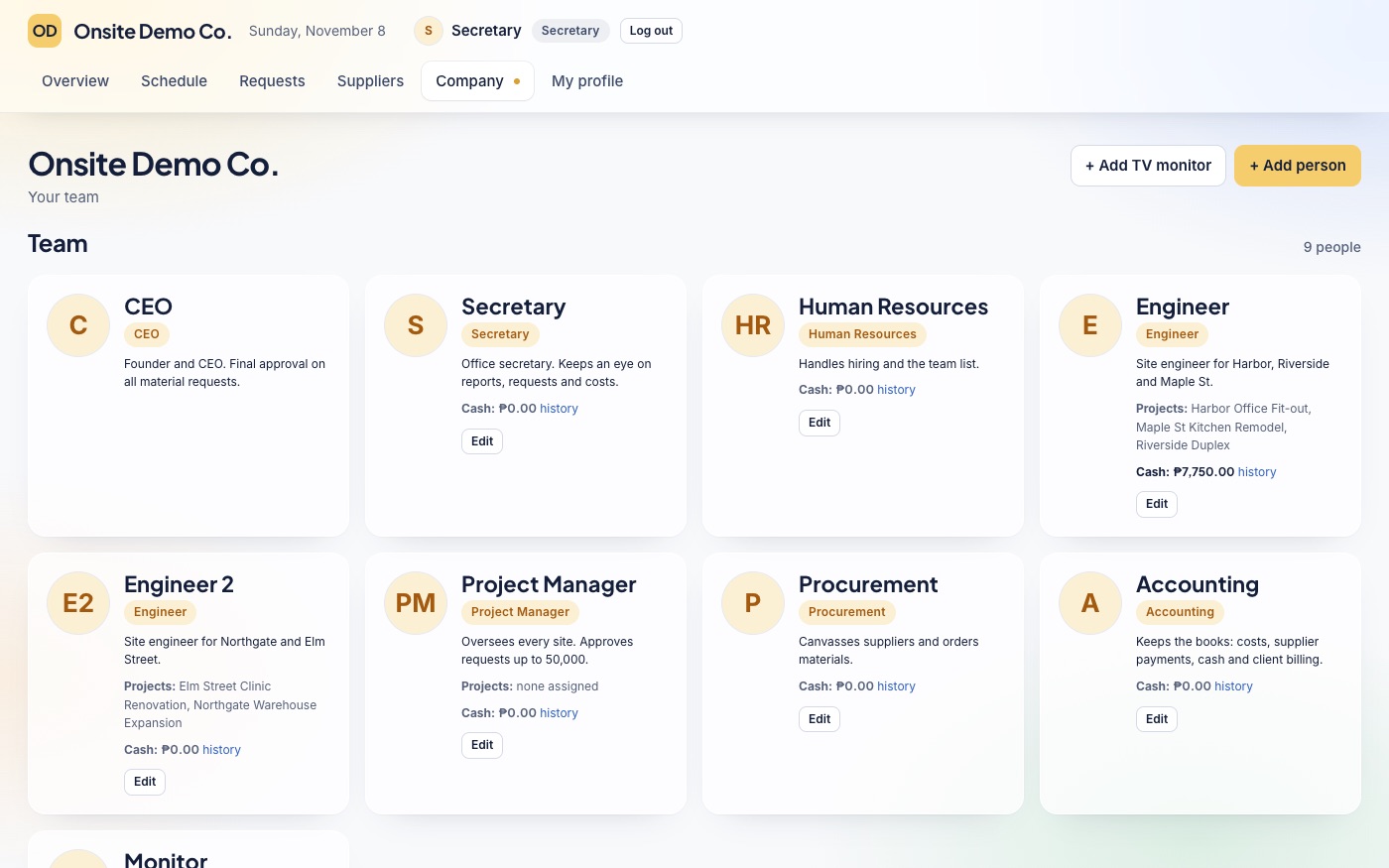
Secretary or HR
The secretary and HR add people, set their roles and keep an eye on reports and requests.
Onsite compared
Group chats and spreadsheets cost nothing to start, and generic project tools can do a lot once set up. Here's where Onsite differs.
| Spreadsheets and group chats | Generic project tools | Onsite | |
|---|---|---|---|
| Daily reports with photos | Spread across chats and phones | As tasks or notes you set up yourself | One report a day per site, with photos, weather and workers |
| Material requests | Messages, paper and follow-up calls | Rarely built in | Request, canvass, approve by amount, order and confirm delivery |
| Costs against each budget | Typed again into a spreadsheet | Totals only, if at all | Every order and payroll lands in the project's costs |
| Money | Depends on who made the file | Often in dollars, rounded | Pesos, exact to the centavo |
| Weak signal | Chats send later; spreadsheets don't | Usually needs a connection | Reports and requests wait on the phone and send later |
| Roles | Everyone sees everything | Members and admins | CEO, secretary, HR, engineer, procurement and accounting |
| Setup | Nothing to set up, and nothing tracked | Boards and fields to design first | Made for contractors: add a project and start |
| Price | Free, but it costs your time | Per person, often in dollars | ₱5,000.00 a month for up to 15 people |
Made here
Made for how a construction office in the Philippines works, from the site to the books.
Every amount is in pesos and exact to the centavo. Nothing is rounded or shortened.
Runs in the browser on any phone. With no signal, reports and requests wait and send themselves.
CEO, secretary, HR, engineer, procurement and accounting, each with its own view, plus roles you make.
Choose who approves requests and up to how much. Anything bigger goes to the CEO.
Our privacy policy follows the Data Privacy Act of 2012 (Republic Act No. 10173). Each company's workspace is private.
The CEO can download every record, photo and receipt as a zip file, any time.
The team
Founder
Marketing Lead
Head of Sales
Customer Success Lead
Software Engineer
Product Designer
Pricing
Every feature and every role is included. Prices are in Philippine pesos.
Questions
Each company has its own private workspace, and each person only sees what their role allows. Passwords are stored only as strong one-way hashes, sign-in slows down after wrong passwords, and the site only runs over a secure connection. Onsite AI only prepares drafts; a person checks and saves them.
Yes. Onsite opens on a phone with no signal and shows what was last loaded. Daily reports, requests and delivery confirmations made offline wait on the phone and send themselves when the signal is back.
Press Sign up and fill in a short form: your company's workspace and your CEO account are ready at once. Your 30-day free trial includes every feature and every role, and no card is needed. Add your first project, add your team, and set your logo.
There's no import file to fill in. Each project takes a few minutes to add, and Onsite AI can draft a new project from its contract and papers. Plans, contracts, permits and spreadsheets can be uploaded to each project's files.
Any time. The CEO can download everything the company has in Onsite as a zip file: projects, reports, requests, costs, people, and every photo and receipt.
Onsite costs ₱5,000.00 a month for up to 15 people, paid by GCash or bank transfer. If the trial ends unpaid, the workspace pauses 7 days later until a payment is recorded. Nothing is deleted.
Start a 30-day free trial with every feature. Add a project, add your team, and your engineers can post today's report.